UGC Video on Upwork: How to Sell It and Edit It All on Your Phone
UGC — user-generated content — is one of the few skilled services on Upwork you can start with almost nothing. No studio, no expensive camera, no editing rig. A phone, decent light, and the ability to talk to a camera and cut the result down tight. Brands cannot make enough of this stuff, because the whole point of UGC is that it doesn't look like a polished agency ad — it looks like a real person holding a real phone. That authenticity is the product.
Which makes it one of the better niches for freelancers building a profile, especially anyone working phone-first instead of from a desk full of gear. The barrier to entry isn't capital or equipment. It's turnaround and polish — how fast you can deliver a clean, captioned, ready-to-post clip, and how good it looks when it lands.
Why UGC is a good Upwork niche to start in
The demand is broad and the deliverables are small and repeatable. A brand doesn't order one UGC video — they order five, or a batch a month, in slightly different hooks and angles to test what converts. That structure is ideal for building early reviews quickly: bounded scope, fast close, and a client who comes back for the next batch if the first one worked.
It's also a niche where you're not competing on a fancy showreel. You're competing on whether you understand the brief, deliver fast, and make the clip feel native to the platform it's going on. That's a learnable, repeatable skill, not a decade of film school — which is exactly why it travels well for freelancers who are figuring out how to price themselves into a real rate without a huge portfolio behind them. For how UGC editing sits alongside the other editing niches — podcast clipping, course content, ad iteration — see the best Upwork niches for video editors.
Win the work before the batch is gone
UGC jobs tend to post in waves — a brand or agency staffing up for a campaign drops several briefs at once, shortlists fast, and fills them from whoever showed up early with something specific. Like most things on Upwork, being first matters more than being perfect. A quick, on-brief proposal that arrives in the first hour beats a beautiful one that lands after they've already booked three creators.
That's hard to do if you're refreshing the feed between shoots. The move is to let a monitor watch the feed for you and ping you when a UGC brief matches what you do, so you can reply while the job is still warm.
The real bottleneck is editing throughput
Here's the part that decides whether UGC is a profitable niche or a grind: editing speed. The shoot is quick. The edit is where time disappears — cutting out every "um" and dead pause, burning in captions (almost every UGC ad needs them, because most of it is watched on mute), and exporting vertical for Reels, TikTok, and Shorts. Do that by hand for a five-clip batch and you've eaten a day.
The tool I'd reach for here is Blitzcut, an AI editor built specifically for talking-head video. It removes silence automatically, generates styled captions, and lets you edit by editing the transcript — delete a sentence of text, it cuts that part of the video. The reason it fits the UGC workflow in particular is that it's a native App Store app: you can shoot and edit on the same iPhone, then export vertical, without ever moving files to a desktop.
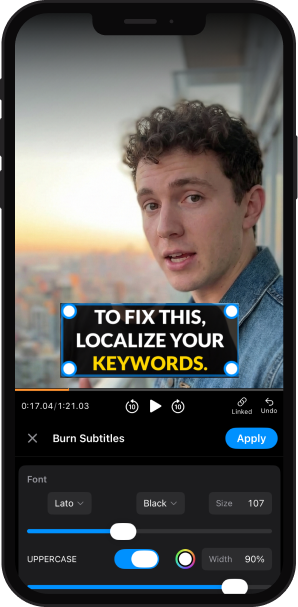
When a batch gets big — or you want the bigger timeline and transcript view — the same project opens on Mac, so you're not locked to the small screen for heavier jobs.
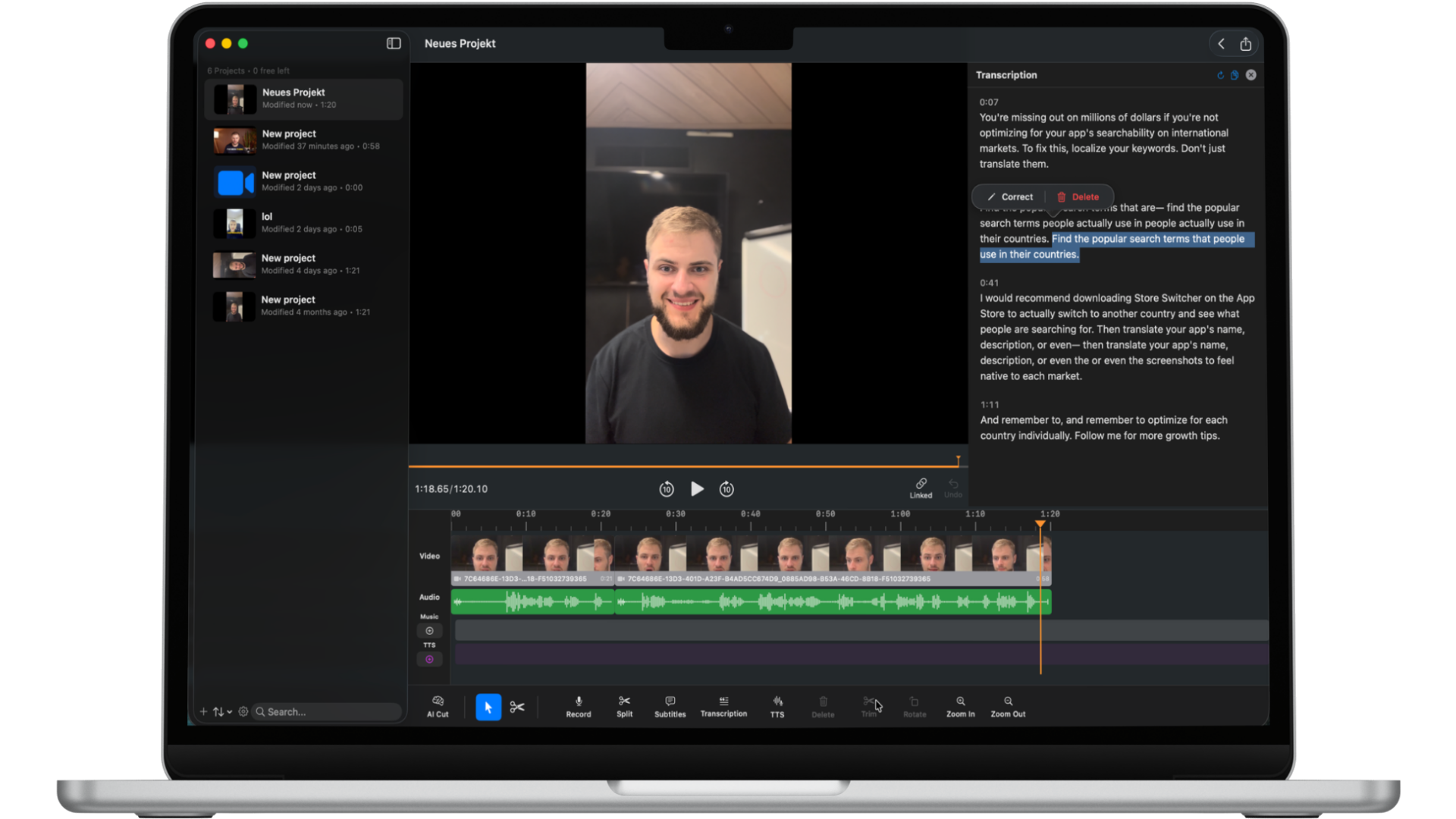
I've used Blitzcut myself and it's genuinely good. Video isn't the lever I pull for my own marketing, so I'm not in it daily — but when I've needed to cut a talking-head clip down and get captions on it, it did exactly what it promised without the usual editing slog.
The throughput point is the whole game. A creator who can turn a shoot into five finished, captioned vertical clips the same day can take more clients, charge per deliverable instead of per hour, and say yes to the batch work that turns into repeat business.
Scope and price it per clip
Because UGC comes in batches, price it that way. Quote per finished clip, or per batch of a defined size, with the deliverables spelled out: length, format, captions, number of hooks or variations. That's the cleanest kind of well-defined scope — it tells the client exactly what they get and protects you from the "can you also make ten more cuts of this" that vague video gigs are notorious for. Naming the deliverables up front is also a quiet signal that you've done this before, which matters when the client is choosing between you and five other applicants.
UGC work goes to whoever's early and turns it around fast — Vibeworker watches the feed and pings you the moment a brief matches what you do. Start free →

Michael Watkins
Founder of Vibeworker. Helping freelancers win the Upwork game through speed and data.
Stop missing the jobs that matter
Vibeworker watches the Upwork feed and alerts you the moment a high-fit job appears — before the proposals pile up.
Get started free →Keep reading
Best Upwork Niches for Designers in 2026
The best Upwork niches for freelance designers in 2026 — product/UX design, design systems, brand identity, pitch decks, and app store creative. Where demand is real and AI tools raised output without killing rates.
Best Upwork Niches for Video Editors in 2026
The best Upwork niches for freelance video editors in 2026 — short-form and UGC editing, podcast clipping, course content, and ad creative. Where the volume is, what pays, and what to avoid.
Best Upwork Niches for Virtual Assistants in 2026
The best Upwork niches for virtual assistants in 2026 — executive support, e-commerce operations, podcast/content ops, AI-tool operations, and community management. Where VAs specialize their way out of the $5/hour race.